
Patterns & Animations
14,000+ Gemstone Lights Patterns
and 27 Animations
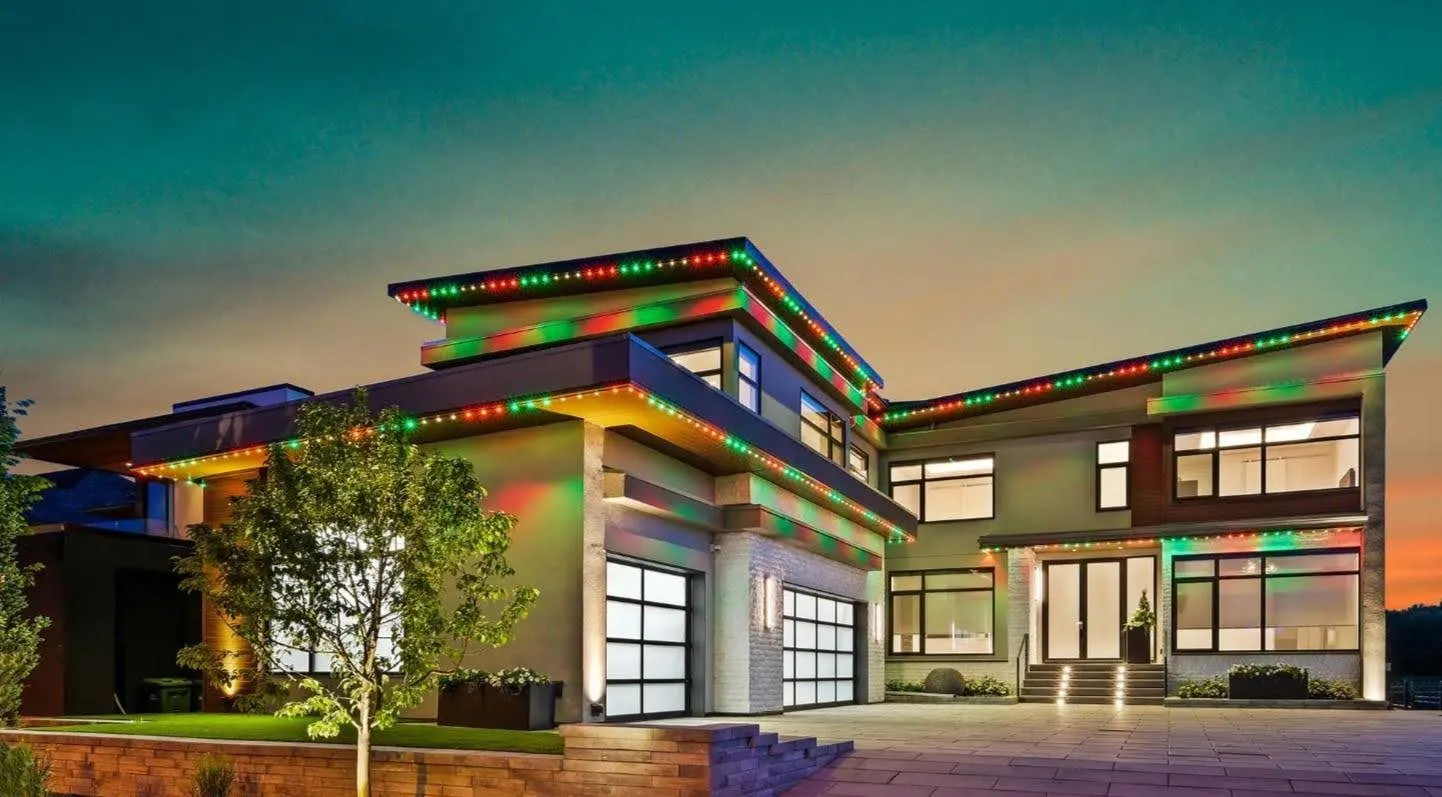
Pick from more than 14,000 premade Gemstone Lights® patterns, build your own in under a minute, and add movement with 27 animations. A still warm-white roofline in Alpharetta and a Halloween show in Buford come from the same library.
Premade patterns
A Library of 14,000+ Premade Patterns
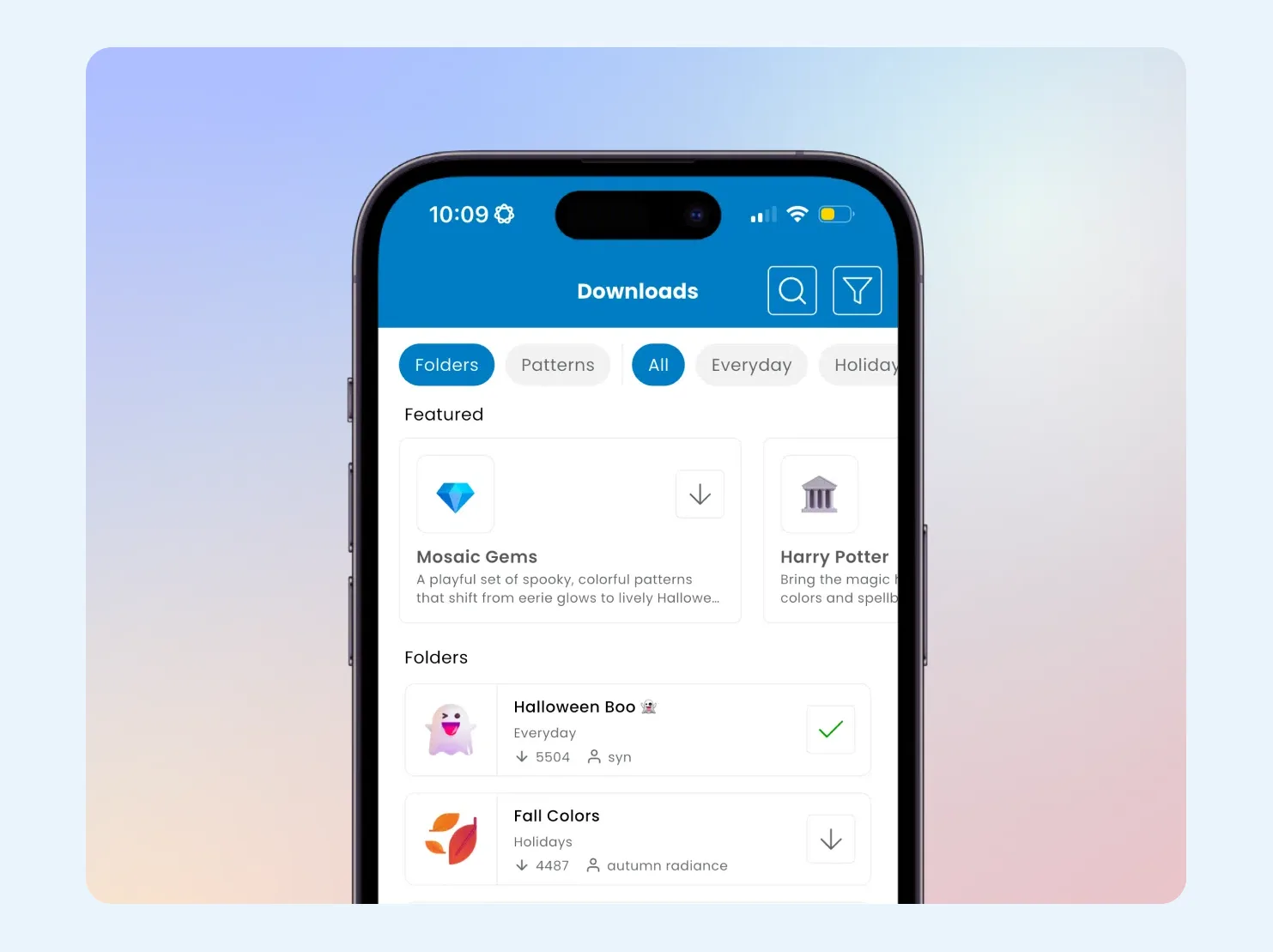
Open the Downloads tab in the Gemstone Lights app and you can search more than 14,000 ready-made Gemstone Lights patterns by name or by theme. There are architectural looks for every evening, folders for each holiday, team colors, and patterns built for security lighting. Tap one and it is on the house.
The library keeps growing. Hub2 kept every premade pattern from the original Hub and added many more, and patterns that other owners choose to share show up in Downloads too.
Most people start with a premade pattern and tweak it. Change a color, slow the animation, dim a section, and save it to your own folder. If you want something that does not exist yet, the pattern builder is the next stop.
Pattern builder
Build Your Own Pattern in Under a Minute
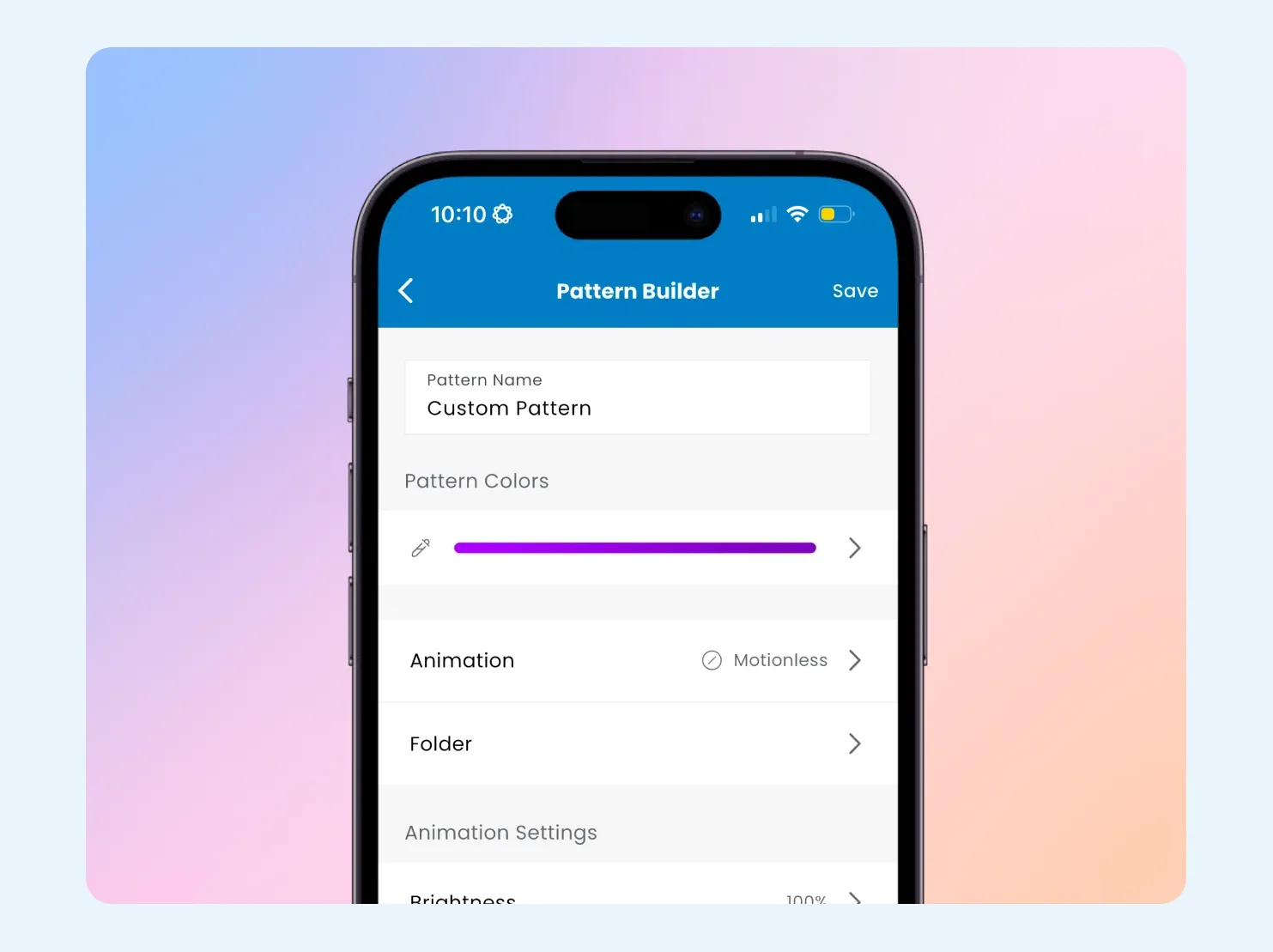
The pattern builder is a short form, not a design program. Give the pattern a name, choose its colors, pick an animation, set brightness and speed, and save it to a folder. It takes less than a minute, and you see the result on your house in real time while you adjust it.
Zones let you go further. Split the roofline into sections and give each its own colors or animation, such as steady warm white across the front with a slow chase on the garage. Because roofline lights are individually addressable, you can also set single lights, which is how people pick out a peak or the front door.
Made something you love? Share it with a link, or keep it in a folder for next season. More on sharing and saving on the Gemstone Lights app page.
- Your colors, down to the hex code
- Different looks in different zones
- Preview it live on your house
Animations
27 Animations, From Still to Showy
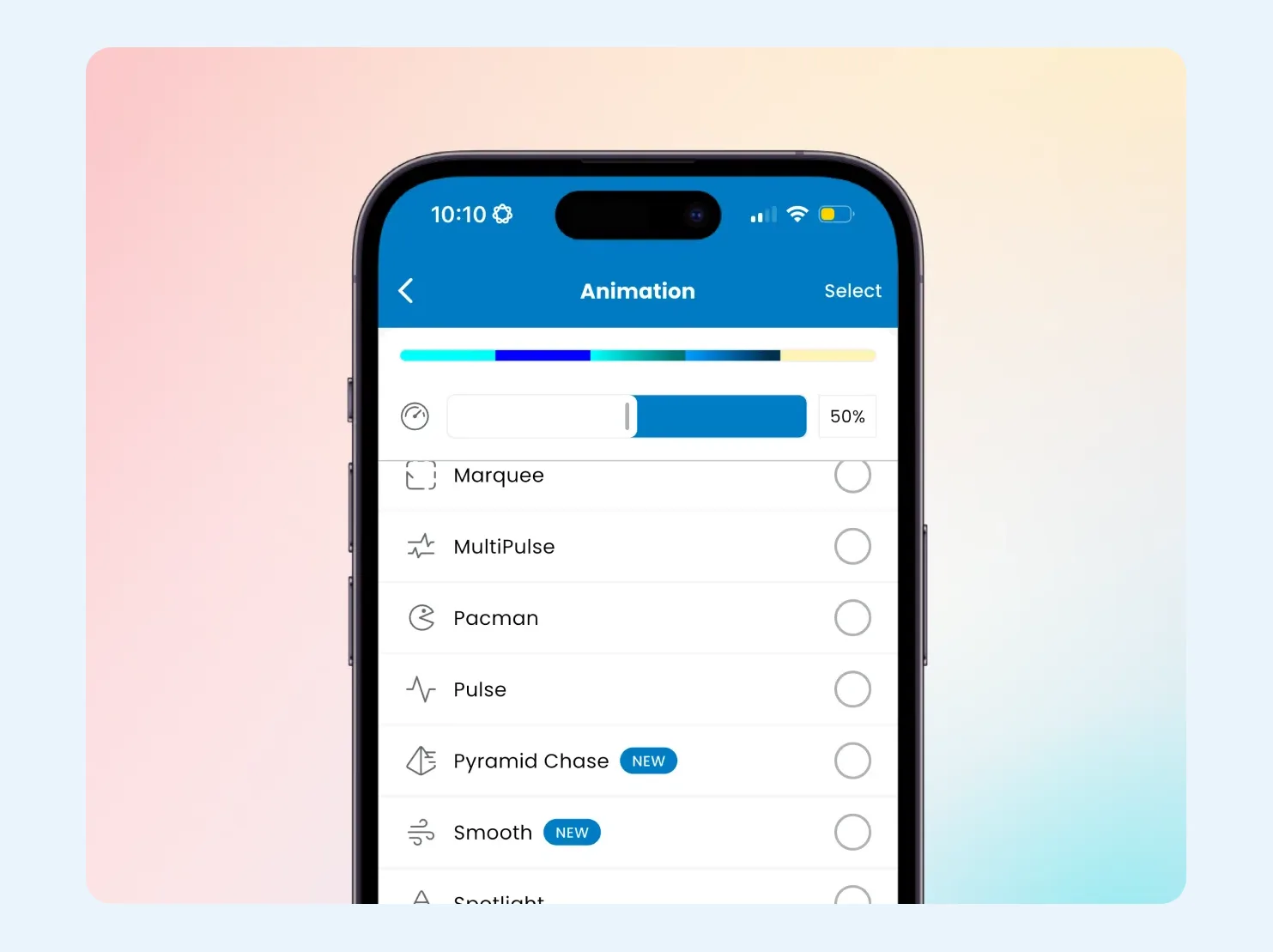
An animation is how the colors move. Motionless keeps every light steady. Starry and Sway add subtle movement that suits a brick or stone house on an ordinary night. Chase, Marquee and Wave send color along the roofline, while Pulse, Glitter and Fireworks are made for a party or a holiday.
You can change the speed of any animation in the app, and run different animations in different zones. Ten of the 27 arrived with Hub2, among them Starry, Smooth, Wave, Gradient Wave, IsoFade, Glitter, Tremor, Eyeball, Pyramid Chase and Fireworks.
All 27 Animations
Here is the full list, grouped loosely by how much movement each one brings. Every animation works with any colors you choose.
Steady and slow
Motionless, Fade, IsoFade, Smooth, Starry and Sway.
Moving along the roofline
Around, Chase, Flow, Gradient, Gradient Wave, Marquee, Pyramid Chase, Stack, Stretch and Wave.
High energy and themed
Eyeball, Fireworks, Flicker, Ghost, Glitch, Glitter, Multi Pulse, Pacman, Pulse, Spotlight and Tremor.
Tips for Everyday Architectural Looks
Most nights, most homes run a calm architectural pattern. A few small choices make it look designed rather than switched on.
Add a little life
Starry or Sway gives a static roofline subtle movement without looking busy.
Mix still and moving
Use zones to run Chase or Gradient between sections of steady architectural light.
Dim for depth
Lower some lights and brighten others to cast shadows across brick and trim.
Group lights at peaks and gables, or space them evenly along soffits.
Patterns for Every Occasion
Ideas and premade looks for the dates Atlanta homes light up most.
Patterns & Animations FAQs
The Downloads tab in the app has more than 14,000 premade Gemstone Lights patterns, searchable by name or theme. New patterns are added over time, and owners can share their own designs there too.
Yes. The pattern builder lets you pick colors, zones and an animation, set brightness and speed, and save the result in under a minute. You can watch it on your house while you adjust it.
Yes. Speed is adjustable for every animation, along with brightness and color. The Now Playing tab lets you change all three on the pattern that is running.
Yes. Zone control splits your lights into sections, and each zone can run its own colors and animation. A common setup is warm white across the front with color or movement in one zone.
For ordinary evenings, Motionless, Starry and Sway are the usual picks because they keep the house calm. Save the bolder animations for holidays, parties and game days.
Every premade pattern from the original Hub is included with Hub2, alongside many new ones. See upgrading to Hub2 for how the switch works.
Keep exploring
See What This Could Look Like
on Your Home
Tell us a little about your home, and we'll help you understand what a professionally installed Gemstone Lights system could look like for your space.
Thanks — your request is in. A specialist will be in touch shortly.